 Centawin
 Program
Program Description
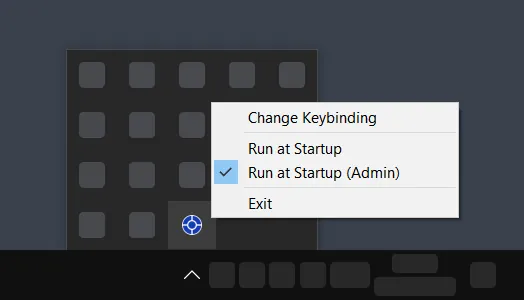
Centawin is a very small free and open-source portable program for Windows that was made only for one purpose: center the active window via hotkey. Multi-monitor configurations are supported. For simplicity, it has no graphical interface. You can make configurations using the tray icon.
After the program is launched, focus a window and press the Win + Shift + Q shortcut to center this window.
The default hotkey can be changed any time via the configuration file.
For more technical information, visit the Official Centawin GitHub Repository.
Problem Statement
When working with windows, there is a periodic need to align them in the center to focus on the window you are currently working with, visually reduce clutter, or return a window that has moved beyond the screen boundaries.
By default, Windows doesn't have such functionality, so a third-party program is needed. While they can perform the task, they usually have some of the following downsides:
- They use heavy frameworks or libraries and have unnecessary graphical interfaces that make them big in size and increase the loading time.
- They are unable to work with several monitors connected at the same time. All windows are centered only on the main screen.
- They can center system windows like Calendar or Notification Center, which you probably don't want but can happen accidentally. In some cases they will not return back to their original places.
- They can't center some windows with client-side decoration that don't have standard visual elements of Windows-specific windows.
- They can add some graphical artifacts to the interface of the program. This often happens with the borders of the windows with fixed size.
- They don't give you an ability to change the keybinding.
How Centawin Solves These Problems
- Centawin is a tiny program that starts immediately.
- It is a portable program. You don't need to install it. Just download and run.
- It works with multiple monitors. The window is centered on the monitor it is located on.
- It centers windows that you will expect to be centered and doesn't touch others. There are some exceptions due to the design features of some programs.
- After centering, the program's window doesn't change the way it looks.
- You can easily change the default shortcut in the config file.
Version without Tray Icon
Originally Centawin didn't have a tray icon because it was design like a tiny system add-on you don't even need to think of. If this is what you need, you can download version of a program without tray icon.
Because no configurations can be made in the menu in the tray, the program was distributed in two versions:
- Executable: one .exe file that is a fully functional program.
- Archive: a .zip file that contains an .exe, additional scripts that will help you easily stop the program and enable/disable autostart, a config.ini file where you can change the hotkey, and README.md with info about the program and scripts.
 Menu
Program
Menu
Program
 Options